
A password manager your AI agents can use, safely.
Your vault lives in your own git repository or folder, encrypted end to end. Your AI agents get the secrets you approve, when you approve them, with the values masked in what they read back.
Join the waitlist
Check your inbox. We've sent a link to confirm your address. Nothing is kept until you click it, and the link works for 3 days.
That address doesn't look right. Check it and try again.
We've had a lot of sign-ups. Please try again tomorrow.
You're on the list. We'll email you when there's a build for you.
You're already on the list. Nothing more to do.
That link has expired or isn't valid. Enter your address again for a new one.
Your email is only used to send you early access to vaultfold. We add it only after you confirm it, keep it in one list at our mail provider Resend and nowhere else, and never share it. Every email has a link to leave, and we delete the list when early access ends.
- Your agent asks for a secret Your AI agent asks vaultfold for the password your app needs.
- You say yes vaultfold asks you first, somewhere the agent cannot answer for you, and hands nothing over until you approve.
- Your app gets it. Your agent never sees it. vaultfold gives the secret to your app and masks it in the output your agent sees.
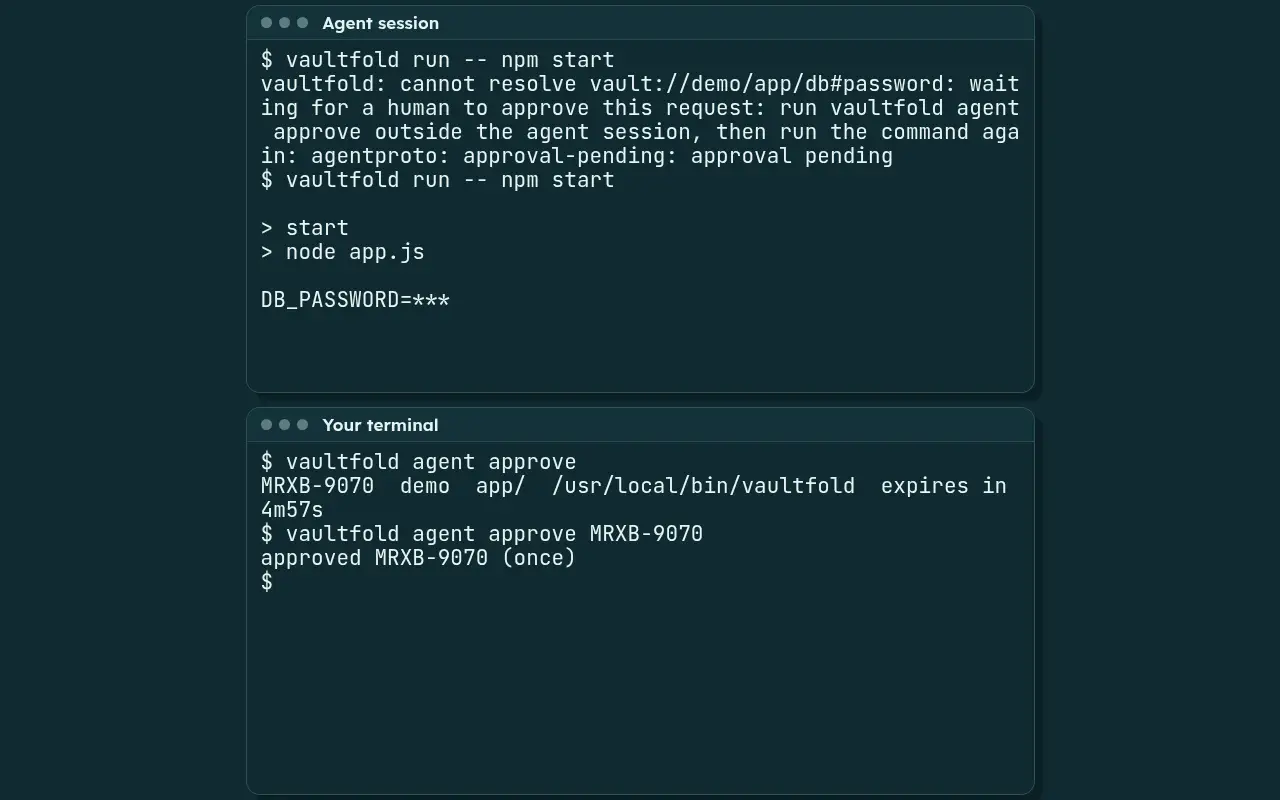
vaultfold run -- npm start, the command stops with approval pending. You answer
in your own terminal with vaultfold agent approve, which shows the vault, the scope and the program asking. The
agent runs the command again, and its output shows the value as ***.
The agent daemon recognizes agent sessions and refuses to give them values. vaultfold run hands secrets to the process, not to the model, and masks them in its output.What happens in this clip
- Your agent asks for a secret. Your AI agent asks vaultfold for the password your app needs.In the "Agent session" terminal it runs
vaultfold run -- npm start. The command stops with approval pending instead of starting, and the agent is not shown a code. - In the "Your terminal" terminal you list the waiting request. It shows a code, the vault, the scope and the program asking.
- You say yes. vaultfold asks you first, somewhere the agent cannot answer for you, and hands nothing over until you approve.You approve the request by its code, once.
- Your app gets it. Your agent never sees it. vaultfold gives the secret to your app and masks it in the output your agent sees.The "Agent session" terminal runs the same command again, and the demo app prints
DB_PASSWORD=***.
Recorded from vaultfold with a demo vault and made-up data. Typing is scripted and pauses are shortened.
In your browser
Signing in, sorted
Autofill. Your logins fill in with one click in Chrome and Firefox.
vaultfold offers to save new logins when you sign up and suggests a strong password for you.
Passkeys. Sign in with a passkey in Chrome and Firefox; your passkeys live in your vault.
One-time codes. Scan a site's two-step sign-in QR code once, and vaultfold offers the code, ready to fill, when you sign in.
vaultfold refuses to fill on look-alike sites.
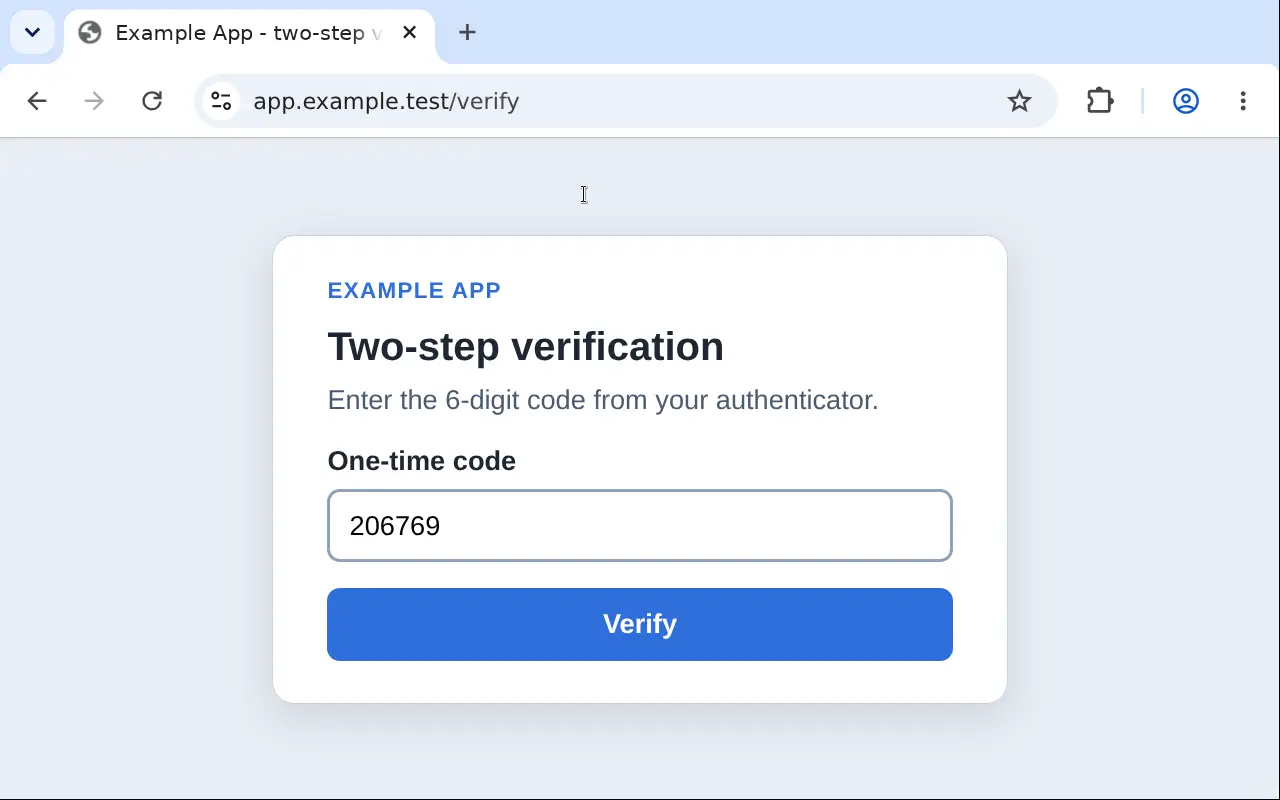
What happens in this clip
- A made-up sign-in page at app.example.test is open in Chromium with the vaultfold extension.
- Clicking the Email field opens vaultfold's menu. One click on the demo login fills Email and Password; the password shows as dots.
- Signing in leads to a page that asks for a six-digit code. Clicking its field opens the menu again, and one click on the login fills the code.
Recorded from vaultfold with a demo vault and made-up data, in a browser with a test build of the extension. The clicks are scripted.
Command line and git
Your vault lives where you choose
Git, for developers. Keep a vault in a repository you already have.
iCloud Drive, Dropbox or any folder. Sync through a folder you already use; vaultfold keeps encrypted files there and your devices pick up each other's changes.
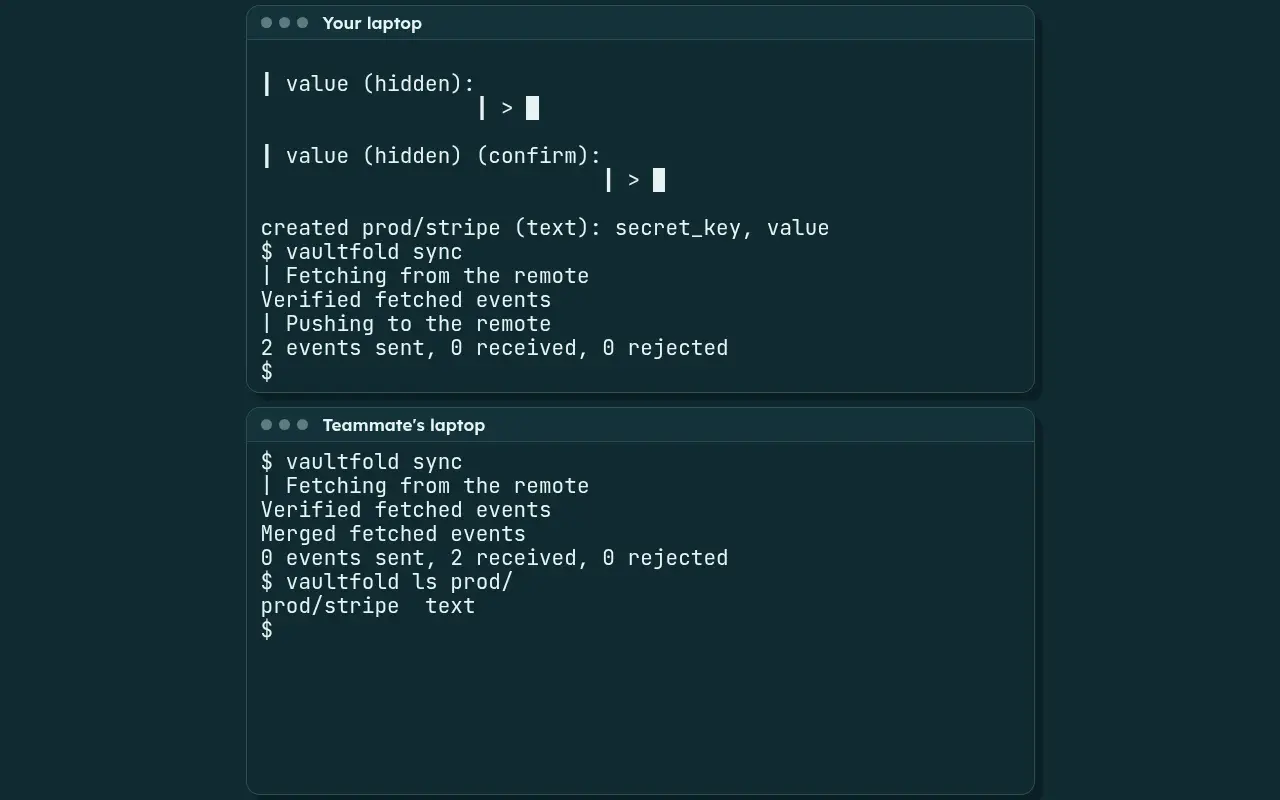
What happens in this clip
- In the "Your laptop" terminal you run
vaultfold add prod/stripe#secret_key. vaultfold asks for the field and then for the entry's value, each twice to confirm, and nothing is echoed. - Every change is a new, write-once, content-addressed file, ordered by causal history; two people adding secrets on two laptops merge cleanly through
vaultfold sync."Your laptop" runs it, and then "Teammate's laptop" runs it and receives the change. - In the "Teammate's laptop" terminal,
vaultfold ls prod/lists the new entry. The value is not shown.
Recorded from vaultfold with a demo vault and made-up data. Typing is scripted and pauses are shortened.
Security and trust
Nobody else holds your vault
Your key stays with you. We never have your key, so no company, including us, can read your passwords.
No reset button. We cannot reset your vault, because we cannot open it.
No tracking, ever. No ads, no tracking and no telemetry in any component.
Our limits, in writing. We publish exactly what vaultfold protects and what it cannot.
Early access
Get early access
vaultfold is in early access: join the waitlist and we will hand you a build personally.
On the roadmap
- Coming soon: Apps for Mac, Windows, Linux, iPhone, iPad and Android, and a Safari extension.
- Coming soon: vaultfold Sync, a sync service we run for you, keeps every device up to date and stores encrypted files and nothing else.
- Coming soon: Approve your agents' requests from your phone.
- Coming soon: Send a link that can open just once and then expires; it is encrypted before it leaves your device, and the key travels in the link, never to our servers.
- Coming soon: Import your passwords from other password managers and your browser.
- Coming soon: The core of vaultfold (the command line, the daemon, the file format, the protocols and the server) will be open source under Apache-2.0 when the repository goes public.
- Coming soon: Pricing and licensing for the apps and for vaultfold Sync will be announced before they launch.
vaultfold for familiesvaultfold for teamsvaultfold for developers